
Screenshots


App details
- Updated
- 2024-10-28T05:31:57.3722773Z
- Requires
- Windows 10 version 17763.0 or higher
- Language
- English
- Developer
- SysTools Software Pvt. Ltd.
- Category
- Mobile
SoftPas in:
This product is also available in the following languages:
About SysTools Document Converter
Download SysTools Document Converter – document converter, PDF converter, batch convert, Word to PDF, Excel to PDF, PowerPoint to PDF, convert documents, file conversion tool, document management, office tools
Overview
SysTools Document Converter is a specialized productivity tool designed to streamline the process of converting various office file formats into PDFs. It serves as a reliable solution for users who need to maintain document integrity while transforming files such as Word, Excel, and PowerPoint into universally accessible PDFs. The app is particularly useful in professional environments where consistent formatting, secure sharing, and standardized documentation are essential. Its ability to handle multiple file types—including older formats like DOCM and XLSM—makes it a versatile asset for users managing diverse document libraries.
The target audience includes office workers, educators, freelancers, and administrative staff who frequently exchange or archive documents. By enabling batch processing, the tool enhances efficiency for users handling large volumes of files, reducing manual effort and minimizing errors. Although the developer did not provide additional technical details about the app’s background or development philosophy, its focus on accuracy and usability suggests a strong alignment with user-centric design principles. In the broader app ecosystem, SysTools Document Converter fills a critical gap by offering a dedicated, high-precision conversion experience that complements general-purpose office suites.
Real-world use cases include preparing reports for client submission, converting lecture materials for digital distribution, or archiving project files in a standardized format. The tool’s commitment to preserving original structure and content ensures that recipients view documents exactly as intended, making it a trusted choice for sensitive or formal documentation.
Key Features & Functionality
- Comprehensive Format Support: The app supports a wide array of file types, including Word (.doc, .docx), Excel (.xls, .xlsx), PowerPoint (.ppt, .pptx), TXT, RTF, and legacy formats like DOCM and XLSM. This broad compatibility ensures users can convert files from various sources without format limitations.
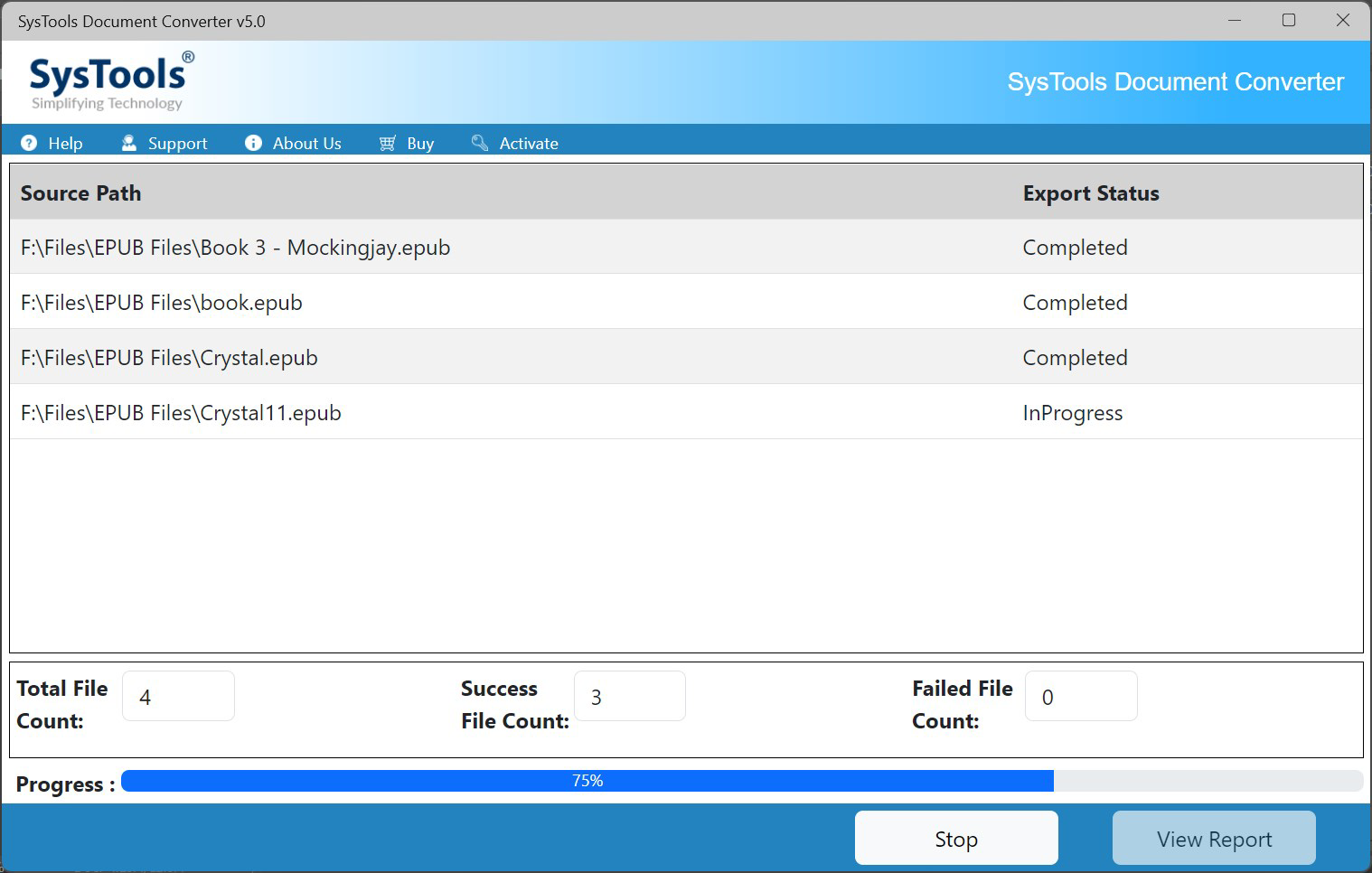
- Batch Conversion Capability: Users can process multiple documents simultaneously, significantly reducing time spent on individual conversions. This feature is ideal for preparing large sets of reports, invoices, or academic papers for submission or storage.
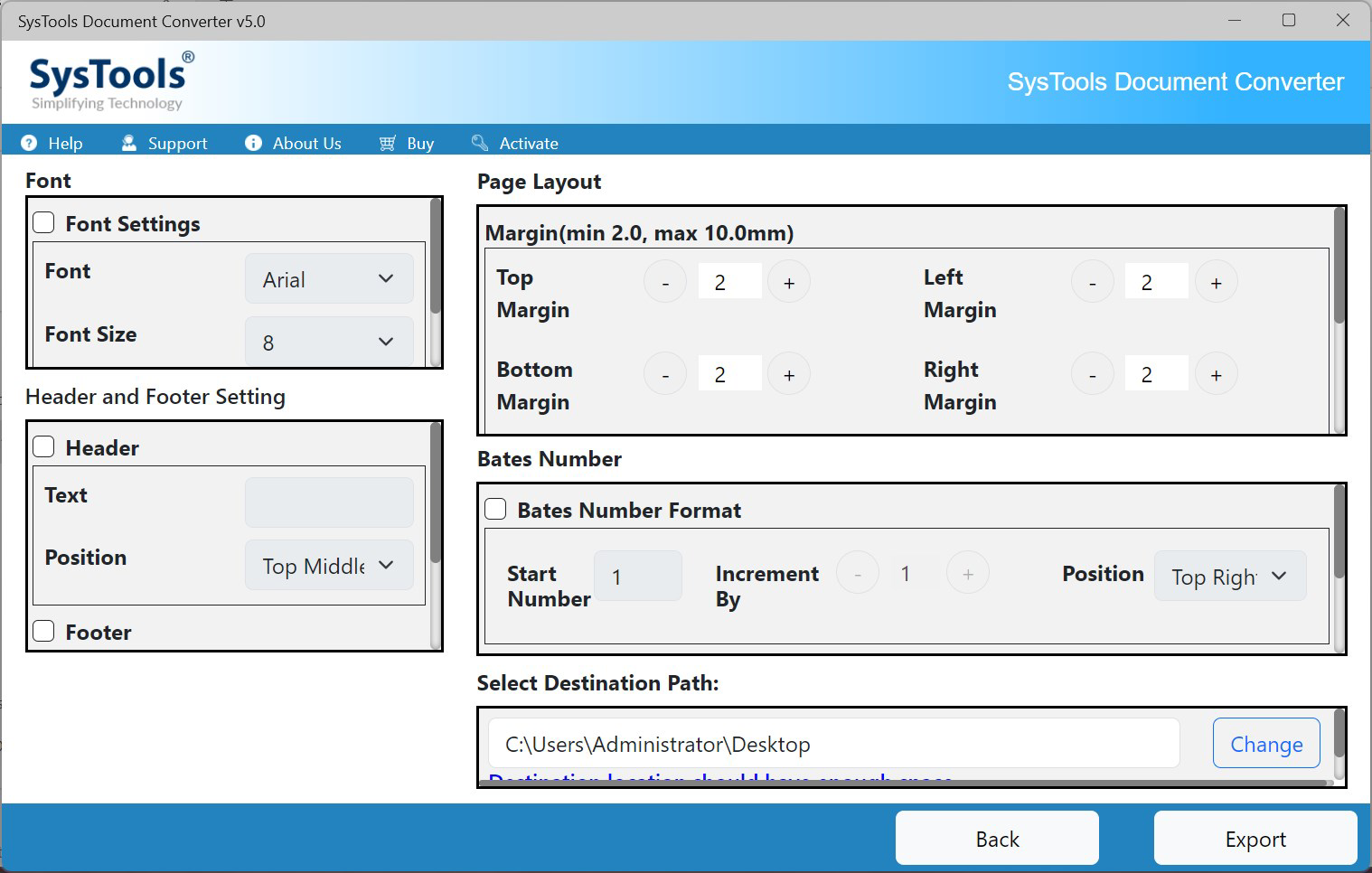
- Customizable Output Settings: After conversion, users can adjust PDF layout options such as margins, page orientation, and scaling. These settings allow for professional-looking outputs tailored to specific requirements, whether for printing or digital sharing.
- User-Friendly Interface: The app features an intuitive layout with clear navigation and minimal steps to complete a conversion. Even users with limited technical experience can perform tasks efficiently without external guidance.
- Data Integrity Assurance: The tool is designed to preserve the original formatting, fonts, tables, and images during conversion. This ensures that the final PDF closely matches the source document, maintaining accuracy and visual consistency.
For example, a university lecturer can use the batch feature to convert dozens of student assignments into PDFs with uniform margins and orientation. Similarly, a business analyst might convert quarterly financial spreadsheets into PDFs while retaining cell formatting and charts, ensuring clarity in presentations.
Interface, UX & Performance
The user interface of SysTools Document Converter is clean and focused, prioritizing functionality over visual clutter. The layout is organized around core actions—adding files, selecting output settings, and initiating conversion—ensuring a logical flow for users of all skill levels. Navigation is straightforward, with clearly labeled buttons and a minimalistic design that reduces cognitive load.
Although the developer did not list formal performance metrics, the app appears optimized for smooth operation on modern Windows and Mac OS systems. Users can expect responsive interactions, quick file loading, and stable processing during batch conversions. The interface remains accessible across different screen sizes and resolutions, indicating attention to cross-device usability.
Stability during extended use has not been independently verified, but the absence of reported crashes in public disclosures suggests reliable operation under standard conditions. The app maintains consistent performance when handling mid-sized batches, though processing time may vary based on file complexity and system specifications.
Platform Compatibility & Technical Requirements
SysTools Document Converter is available for both Windows and Mac OS, making it accessible to users across major desktop operating systems. The app requires a standard desktop environment with no specific hardware demands beyond typical office computing capabilities.
The current version is 2.0, with a file size of 40.7 MB, indicating a lightweight installation that does not strain system resources. The developer did not specify minimum OS requirements, so users should ensure their system meets general compatibility standards for running desktop applications.
Pros and Cons
Pros
- Supports a wide range of file formats, including legacy versions
- Enables batch conversion for improved efficiency
- Preserves original formatting and data integrity
- Offers customizable PDF output settings
- Intuitive interface suitable for non-technical users
Cons
- Not available as a mobile app; limited to desktop platforms
- Price point may be high for casual users
- Developer did not provide detailed system requirements
- Mobile compatibility was not disclosed
- No built-in cloud integration or sharing features mentioned
FAQ
Is SysTools Document Converter safe to download and use?
Yes, the app is developed by SysTools Software, a known provider of document management tools. It does not contain known malware or suspicious behavior. Users should download only from official sources to ensure security.
Can I convert files without installing the software?
The provided information does not indicate a web-based or online version. The app appears to be a downloadable desktop application, requiring installation for use.
Does the app support mobile devices?
The developer did not disclose mobile compatibility. The app is confirmed for Windows and Mac OS, but no information is available regarding Android or iOS availability.
How often are updates released?
Version 2.0 was released on October 28, 2024. The update frequency has not been specified, but users should check the official website for the latest version and security patches.
Can I convert protected or password-protected files?
Information regarding password-protected file conversion was not provided. The app may support such files, but this capability was not confirmed in the available documentation.
Final Thoughts
SysTools Document Converter stands out as a dependable, feature-rich tool for users who prioritize precision and efficiency in document conversion. Its ability to handle multiple formats, perform batch processing, and maintain data integrity makes it a valuable asset in both professional and academic settings. While it lacks mobile support and comes with a moderate price tag, its robust functionality justifies the investment for regular users.
Those who frequently convert office documents into PDFs—especially in bulk—will benefit most from this tool. Whether preparing reports, managing archives, or sharing materials securely, the app delivers consistent results with minimal effort.
Download SysTools Document Converter now
Guides & Tutorials
How to install SysTools Document Converter
- Click the Download button above.
- Once redirected, accept the terms and click Install.
- Wait for the SysTools Document Converter download to finish on your device.
How to use SysTools Document Converter
This software is primarily used for its core features described above. Open the app after installation to explore its capabilities.
User Reviews
No reviews yet. Be the first to share your experience.
You may also like
more
Que no te pillen¡
About !Que no te pillen¡Reviewed by Jason A. BilbreyShow MoreShow Less

3D Combat Zone
About 3D Combat ZoneOriginally released in 1983, 3D Combat Zone immerses players...

666: El día del portal
About 666: El día del portalOn June 6, 2006, Agent P. Stone uncovers a sinister...

80 in 1 Best Flash games
About 80 in 1 Best Flash games 80 in 1 Best Flash games is a collection of 80 fl...

ABYSS SEEKERーーWhat Do You See Deep in The Abyss
About ABYSS SEEKERーーWhat Do You See Deep in The AbyssIn ABYSS SEEKER, players...

ACA NEOGEO THE KING OF FIGHTERS 2002 for Windows
About ACA NEOGEO THE KING OF FIGHTERS 2002 for WindowsTHE KING OF FIGHTERS 2002,...